

Iphone mail program setup
Step 1:
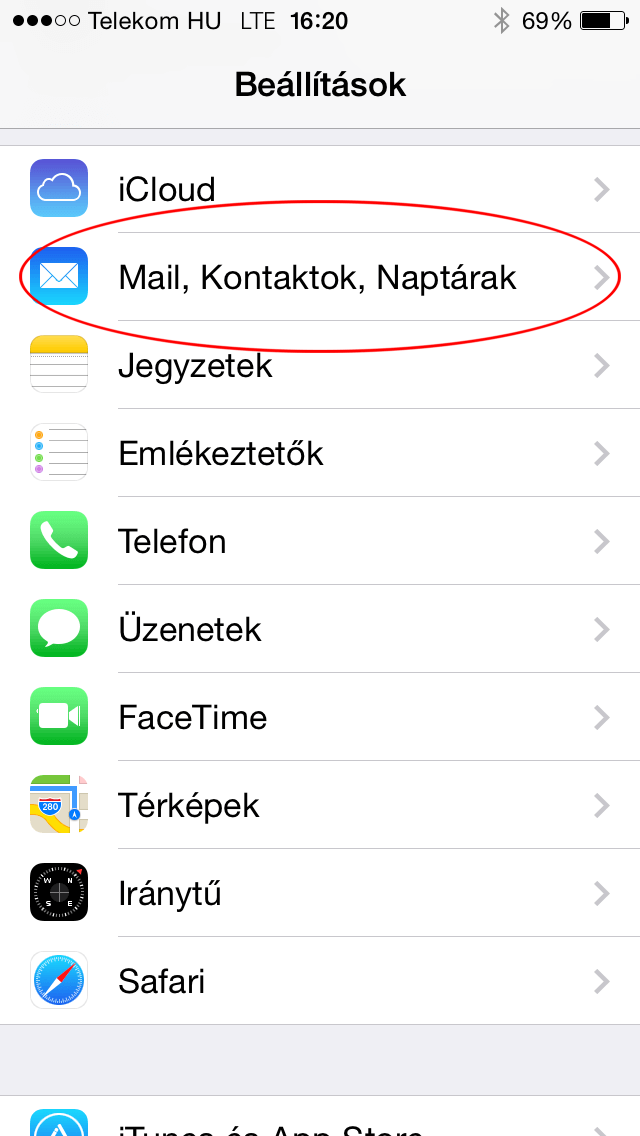
Go to settings, then select Mail, Contacts, Calendars
Step 2:
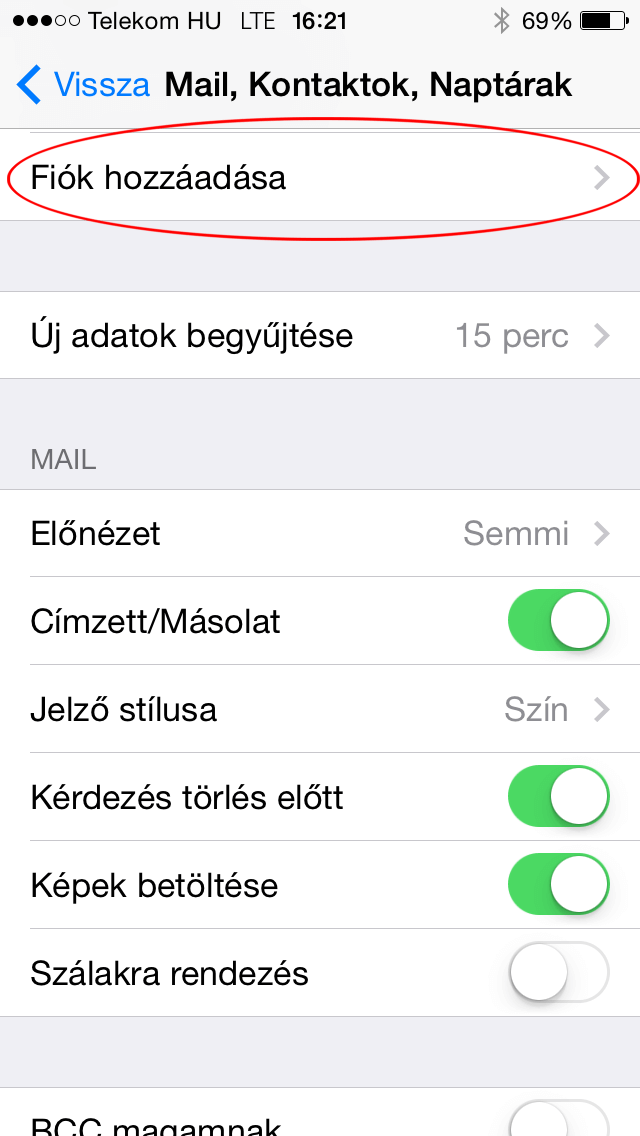
Select Add account.
Step 3:
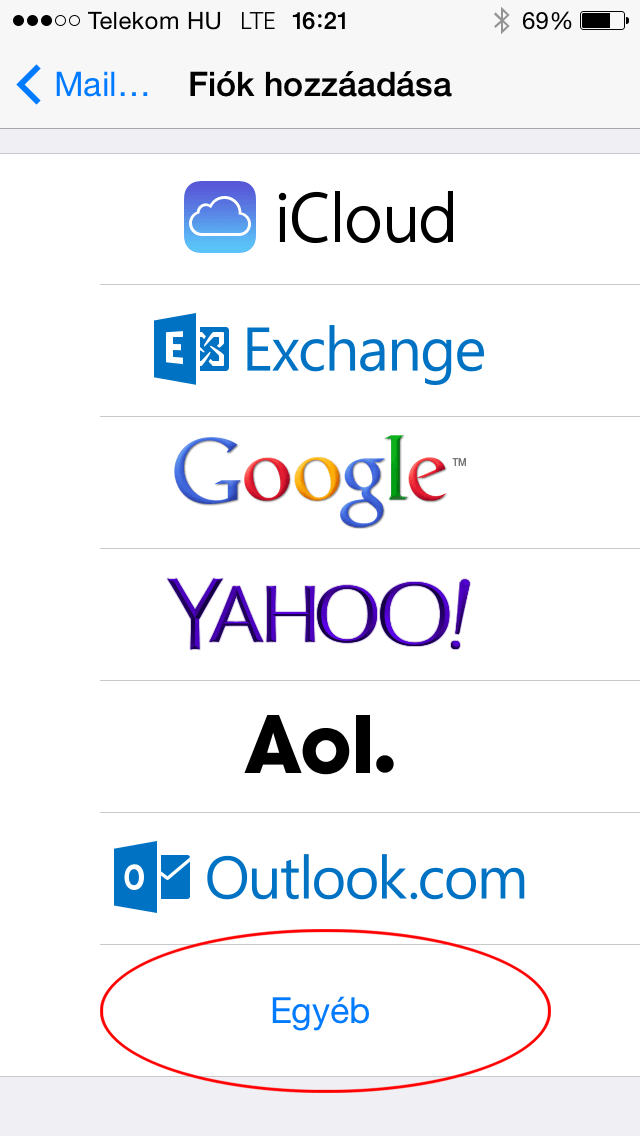
Select the other menu item
Step 4:
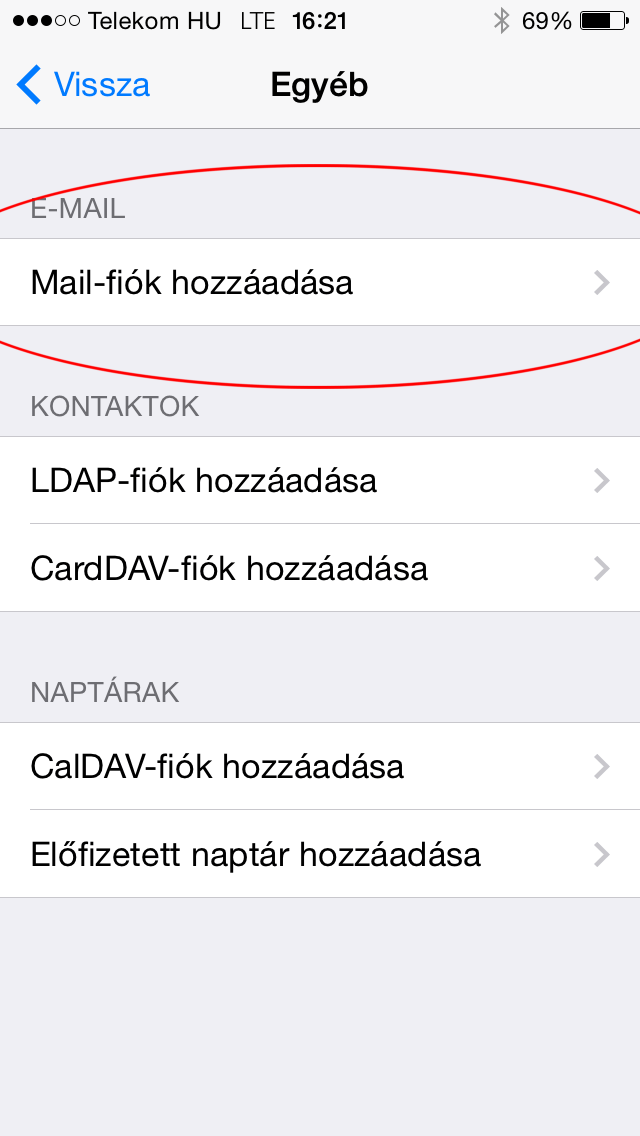
Select the Add Mail Account menu option
Step 5:
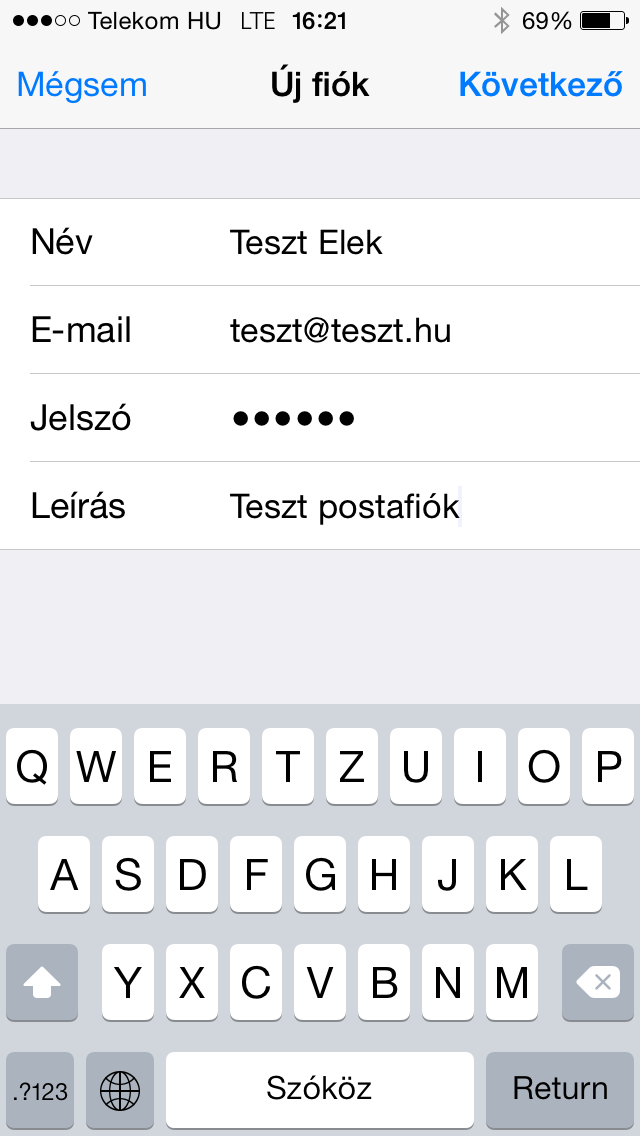
Enter your name, email address and associated password, a description of the mailbox, and then click
Step 6:
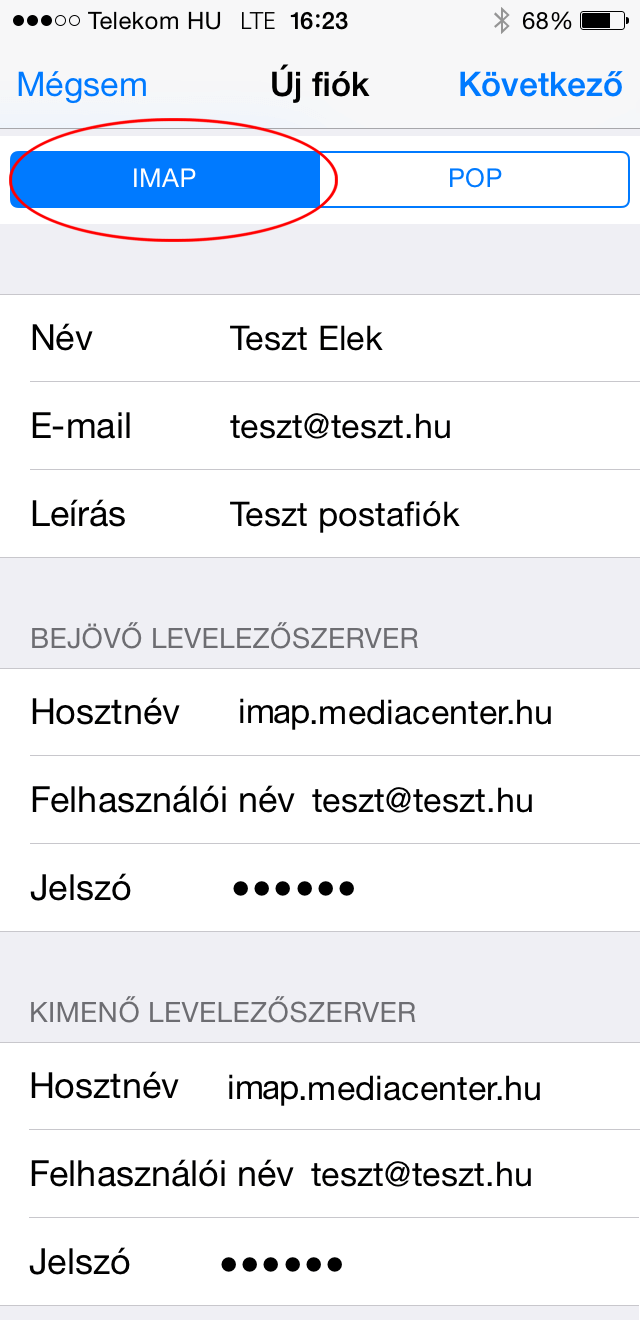
Select the IMAP protocol and modify the details as follows
Incoming mail server
Hostname: imap.mediacenter.hu
User name: full email address
Password: password associated with the email address
Outgoing mail server
Hostname: imap.mediacenter.hu
User name: full e-mail address
Password: password associated with the e-mail address